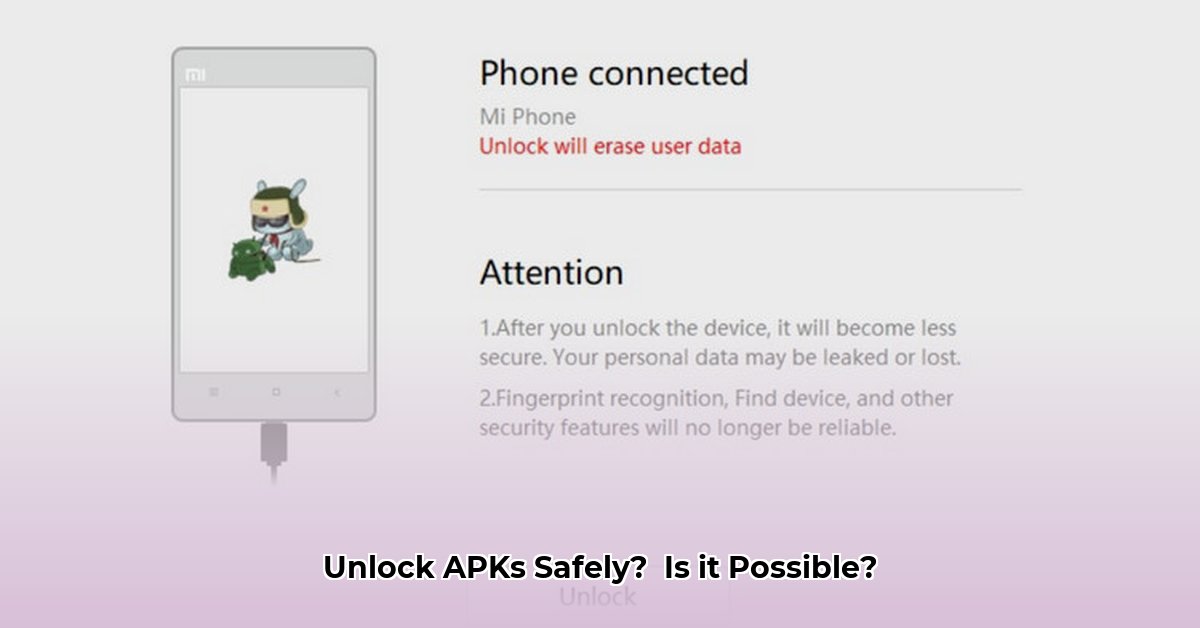
Understanding the Risks of Unlocking APKs
Unlocking APKs (Android Package Kits) – modified Android apps promising extra features – is tempting, but risky. These modified apps often originate from untrusted sources, making them easy targets for malicious actors. Downloading an unlocked APK exposes your phone to significant dangers. For more on app safety, see this guide.
What are these dangers? Hackers might insert malware designed to steal your personal data (photos, banking information, etc.), control your device remotely, or even use it for illicit activities. This isn't a hypothetical threat; real users experience these consequences daily. Before you even consider unlocking an APK, understand the potential damage far outweighs any perceived benefits.
Identifying Risky APKs: Key Warning Signs
Before downloading any APK, ask yourself these critical questions:
- Source Trustworthiness: Is the source reputable? Does it have a history of providing safe apps, or is it some obscure online forum or website? A lack of clear identification, questionable website design, or bad grammar are all potential red flags.
- User Reviews: What are other users saying? Negative reviews or warnings are strong indicators of potential problems. Absence of reviews is also suspicious.
- Permission Requests: Does the app request excessive or irrelevant permissions? A calculator app needing access to your contacts, location, and microphone? That's a major red flag. Legitimate apps only request necessary permissions.
If you hesitate, don't download the APK. The risk considerably outweighs the potential reward.
Safer Alternatives to Unlocked APKs
Instead of risking your phone's security, explore safer alternatives:
- Free Trials: Many apps offer free trials, allowing you to test features before purchasing.
- Freemium Apps: Some apps are free to use with optional paid upgrades for additional features. Consider whether the paid features are worth the cost.
- Official App Stores: Stick to Google Play Store or other reputable marketplaces. They employ security measures and review processes which significantly reduce the risk of malware.
Prioritizing security protects your data and privacy. Don't compromise these for potentially dubious benefits.
Enhancing Your Android Security: Essential Steps
Even apps from official stores can pose risks. These steps strengthen your phone's security:
Update Android OS: Regularly update your Android operating system to receive the latest security patches.
Strong Authentication: Use strong passwords or biometric authentication (fingerprint, face ID).
App Permission Review: Scrutinize permissions each app requests before installation. Only grant necessary permissions.
Reputable Antivirus: Utilize a reliable antivirus app to scan for and remove malware. Regular scans are crucial.
These steps, combined with caution, create a robust defense against digital threats. Think of them as multiple locks on your digital door. The more layers you add, the harder it becomes for intruders to break in.
Choosing the Best Android Antivirus App
Selecting the right antivirus app is essential. Many options exist, each with pros and cons. Consider these factors:
Malware Detection Rates: Look for apps with consistently high detection rates in independent tests (PCMag, AV-Comparatives). Near-perfect scores are indicative of robust protection. How effective is the malware protection? What percentage of threats does it successfully detect?
Additional Features: Some apps offer extras like VPNs, call blockers, or app locks. Assess your needs and budget.
Anti-theft Features: Consider the strength of anti-theft capabilities. This is a critical feature for protecting your phone should it ever be stolen or lost.
Pricing: Free versions often have limitations. Paid versions typically offer more comprehensive features and better support.
Choosing an app requires careful consideration. A free version might meet your basic needs, while a premium version will provide more complete protection.
A Step-by-Step Guide to Selecting an Antivirus App
Identify Your Needs: Determine what features are most important to you (malware protection, VPN, etc.).
Research Top Apps: Examine independent reviews and compare features.
Review Privacy Policies: Carefully review the app's privacy policy and permission requests. Transparency is key.
Test Before Committing: Utilize free trials or free versions if available.
Regular Monitoring: Keep your antivirus software updated for optimal protection.
Remember, your digital security is paramount. Choosing the right app is a significant investment in protecting your data and online privacy. Consider these points carefully so you can make an informed decision and secure your device effectively.
⭐⭐⭐⭐☆ (4.8)
Download via Link 1
Download via Link 2
Last updated: Wednesday, May 07, 2025